

DL / 001 FILES
SORT · FIND · UNDO
v0.9.1
DeskFolio edits, signs, compresses and converts PDFs on your own computer. Fix a line of text, comment, fill in forms and sign them, shrink big scans for email, turn PDFs into Word or Excel, and make scans searchable. Free, with no sign-up and no watermark.
for Windows · 12 MB · free
Everything you do to a PDF, offline.
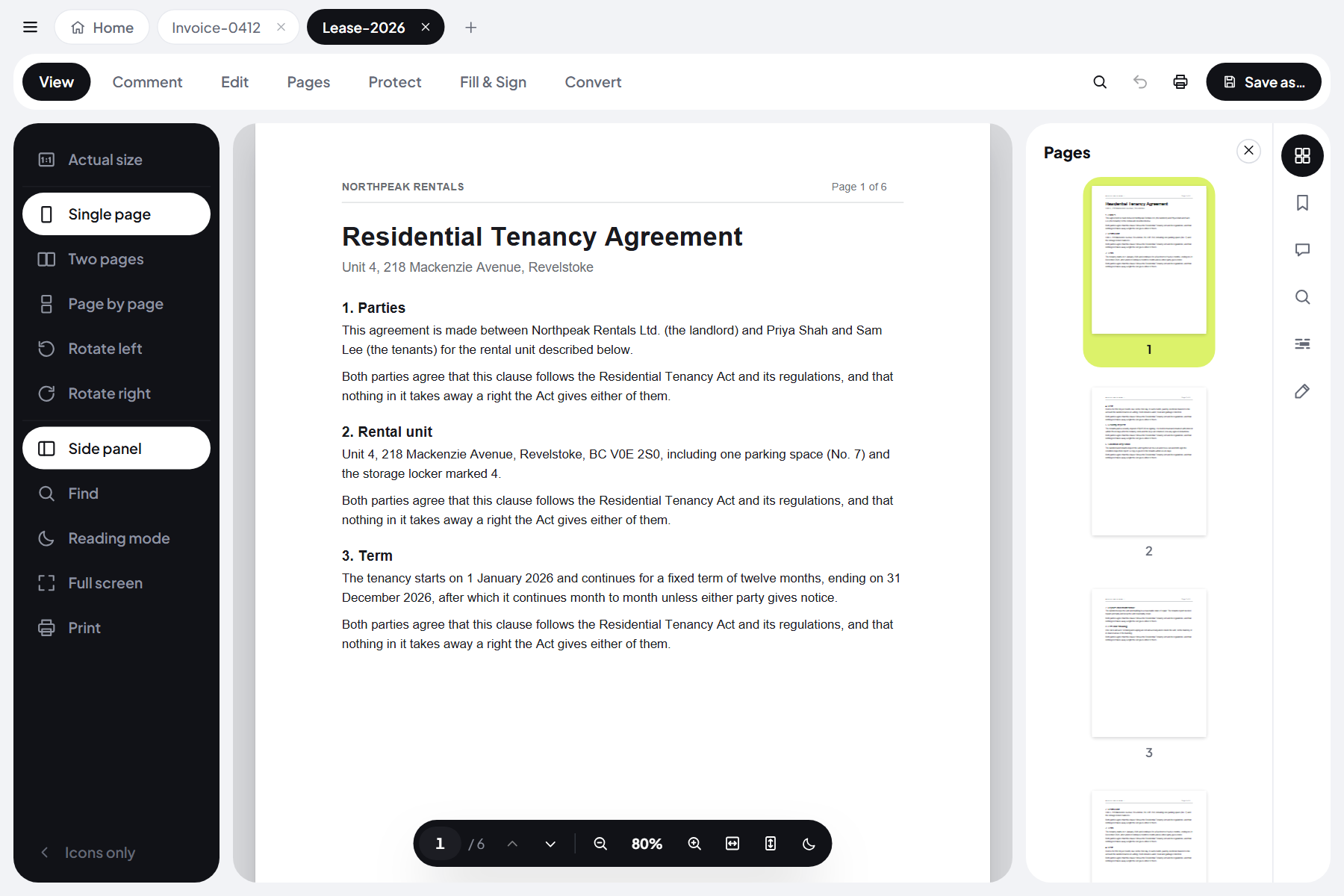
A complete PDF workspace on your own computer. Open several PDFs in tabs, fix a line of text, comment and mark up, fill in forms and sign them, add a certificate signature or send a PDF to others to sign, protect and redact, convert to Word or Excel, and make scans searchable. Everything runs offline; only Send for signature goes online, and it encrypts the PDF before it leaves.
Several PDFs in tabs, thumbnails, bookmarks and search. Reorder, rotate, insert or extract pages.
Change the words of a line, move, resize or replace pictures, add and remove links.
Highlights, sticky notes, shapes, arrows and stamps that other PDF readers show too.
Join PDFs in the order you choose, or split by ranges, every few pages or one per page.
Three strengths. Photos shrink, text stays sharp, never bigger than before.
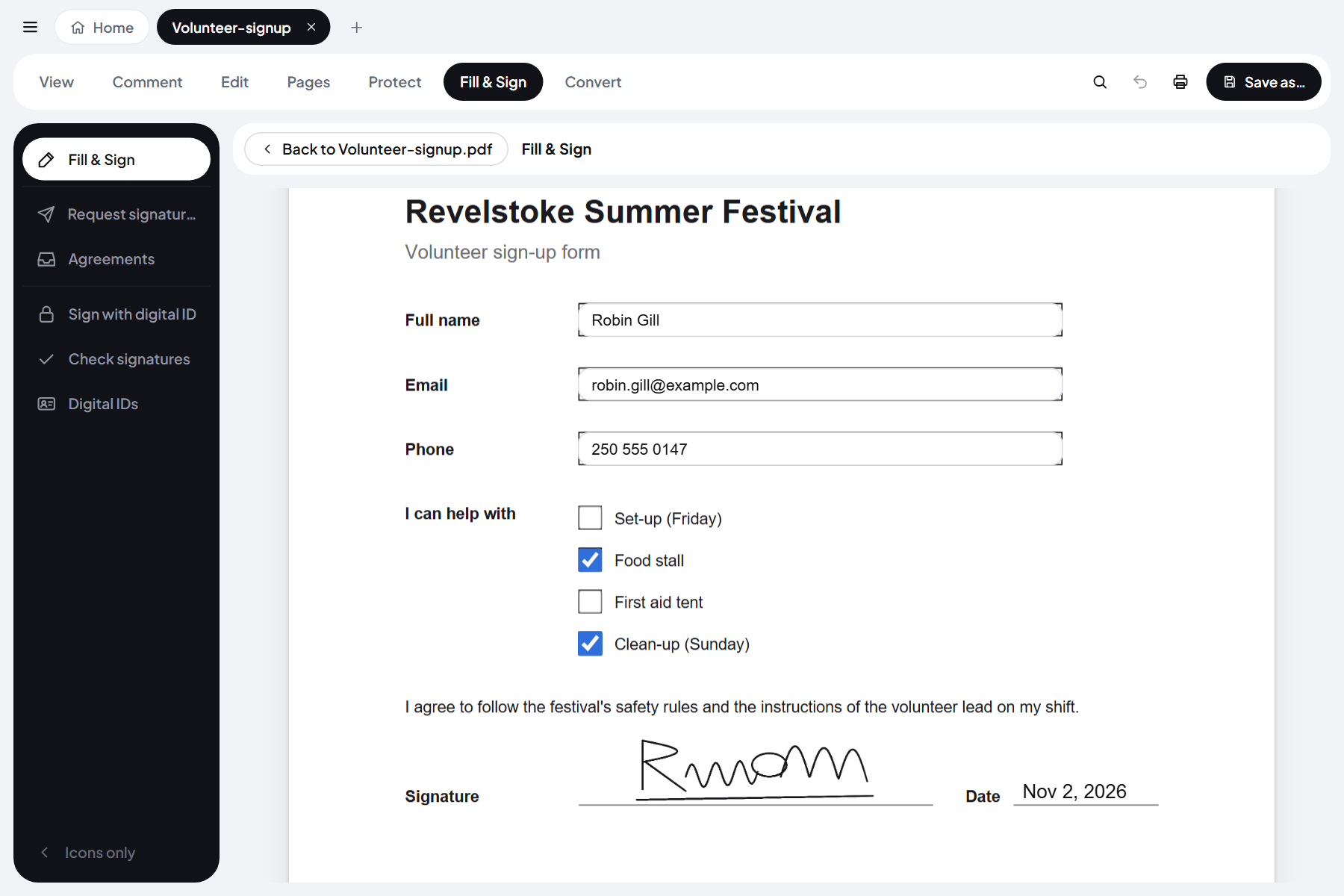
Type into forms, add text, dates and ticks, and sign. Your signature stays on your computer.
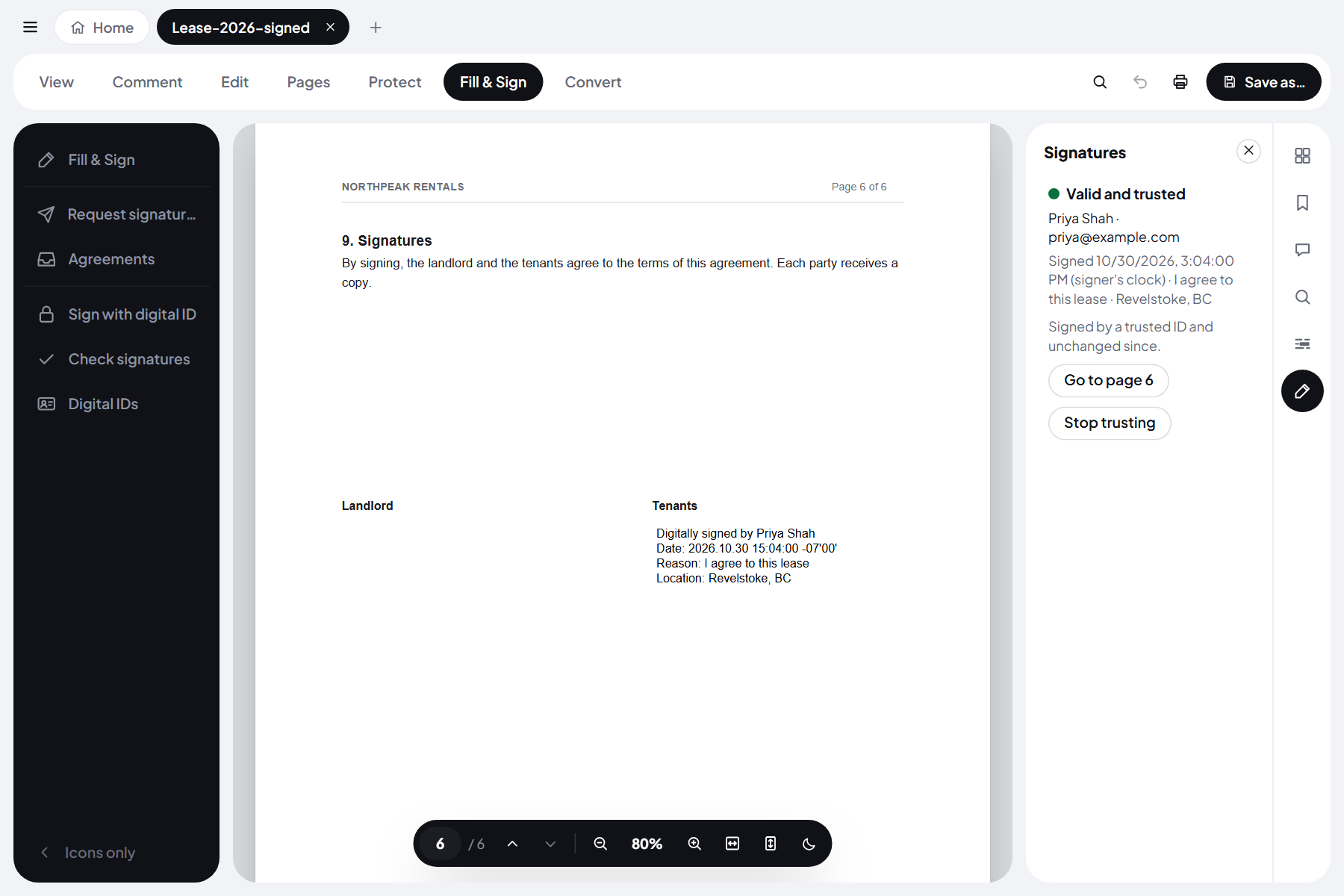
Sign with a certificate, your handwritten signature on top, and an optional trusted timestamp. Anyone can check nothing changed since.
People sign in their browser, in order or all at once. DeskFolio tells you as each one signs. Needs a free DeskLab account.
Passwords and permissions, and redaction that really removes the text, not just covers it.
PDF to Word, Excel, text or images. Word, Excel, PowerPoint and images to PDF.
Make scans searchable and copyable. English built in, 18 more languages as small one-time downloads.
Run OCR, watermarks, page or Bates numbers and compression on a whole folder at once.
One more free tool in the same family, with the same menus, the same rules and the same promise: offline, open source, no sign-up.
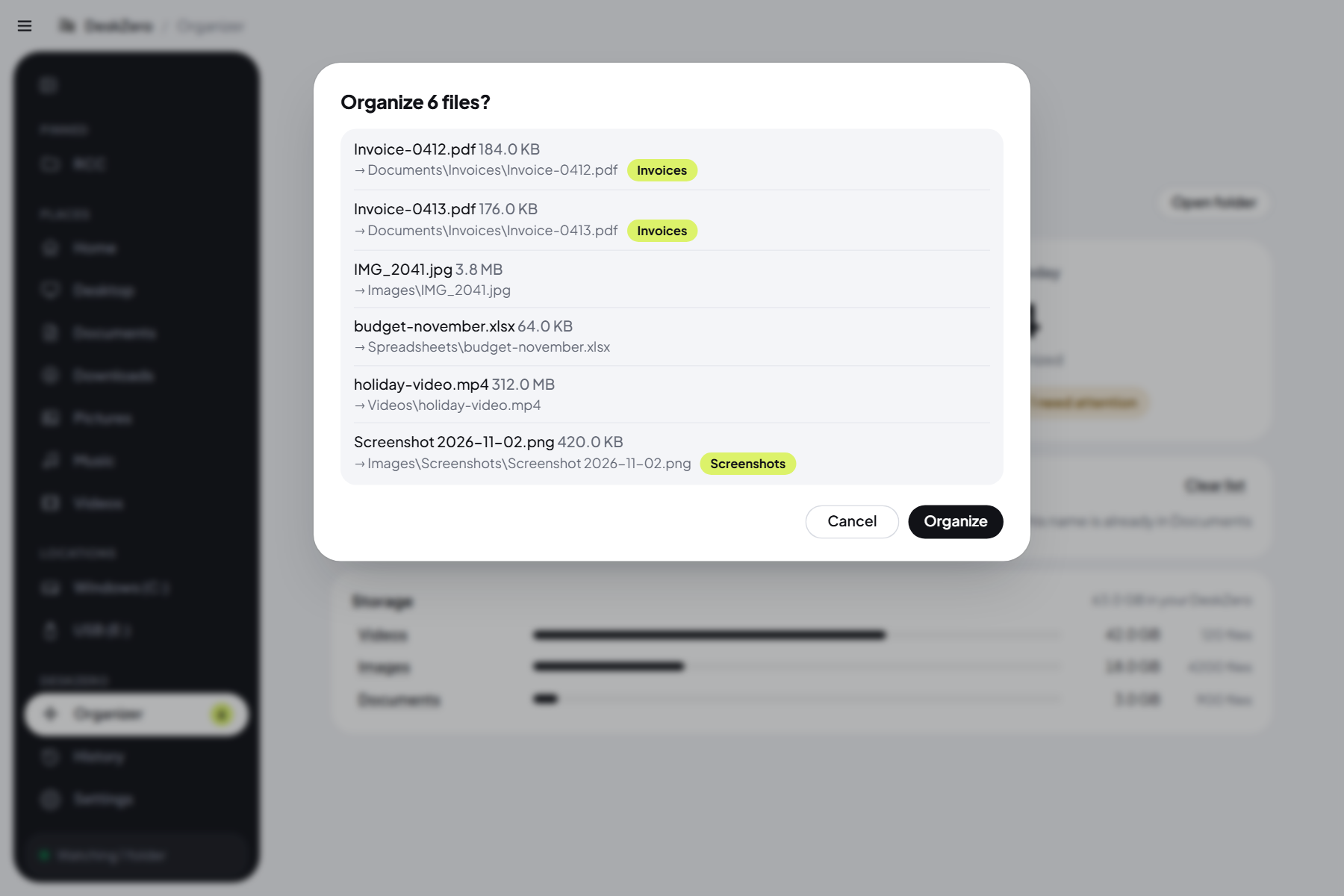
Your files, finally in order.
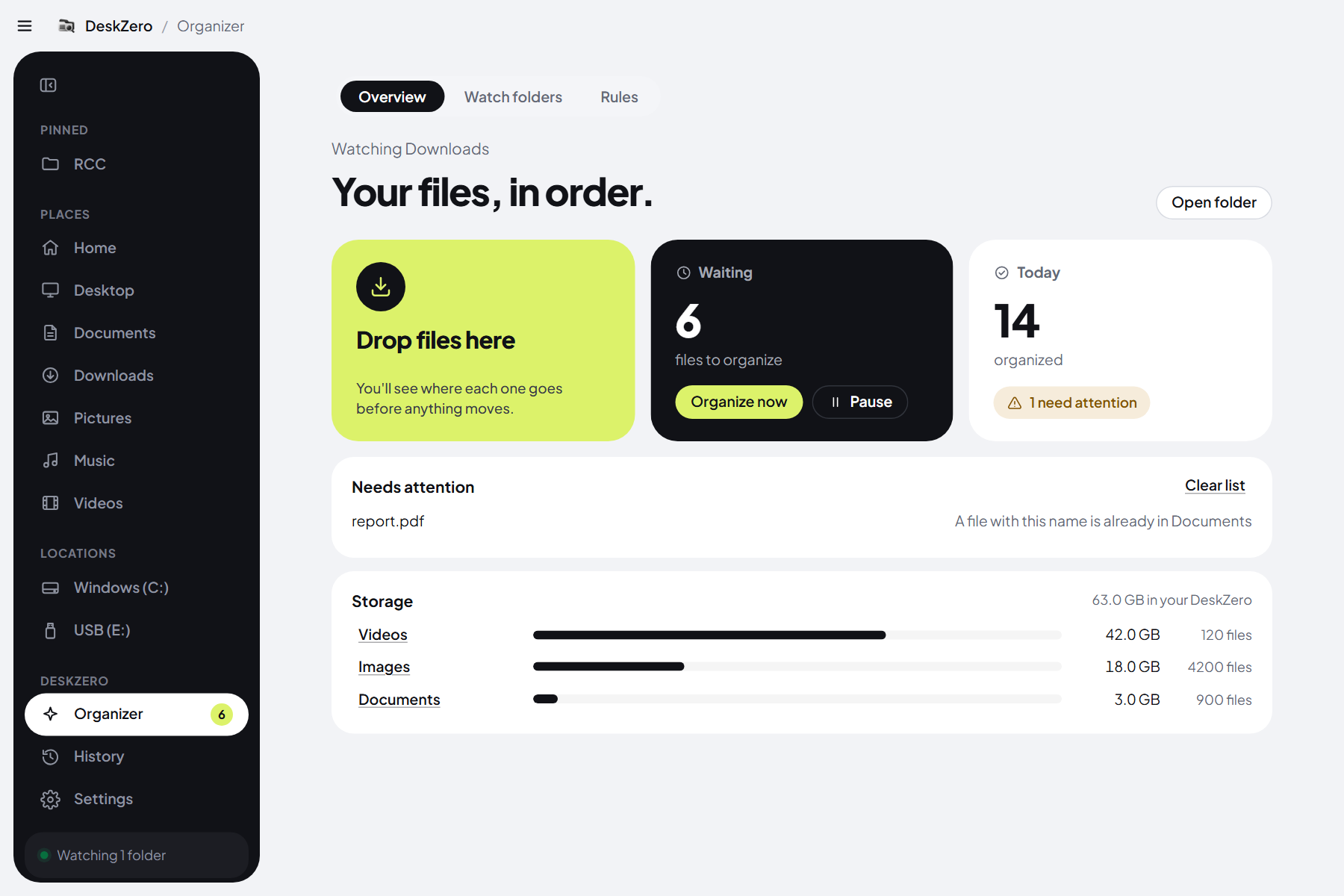
Drop loose files into one folder and DeskZero sorts them into Images, Documents, Videos and more, by simple rules you control. It can watch Downloads and Desktop in the background, finds duplicate files, and a search bar on Ctrl+Shift+Space finds files, folders and apps from anywhere.
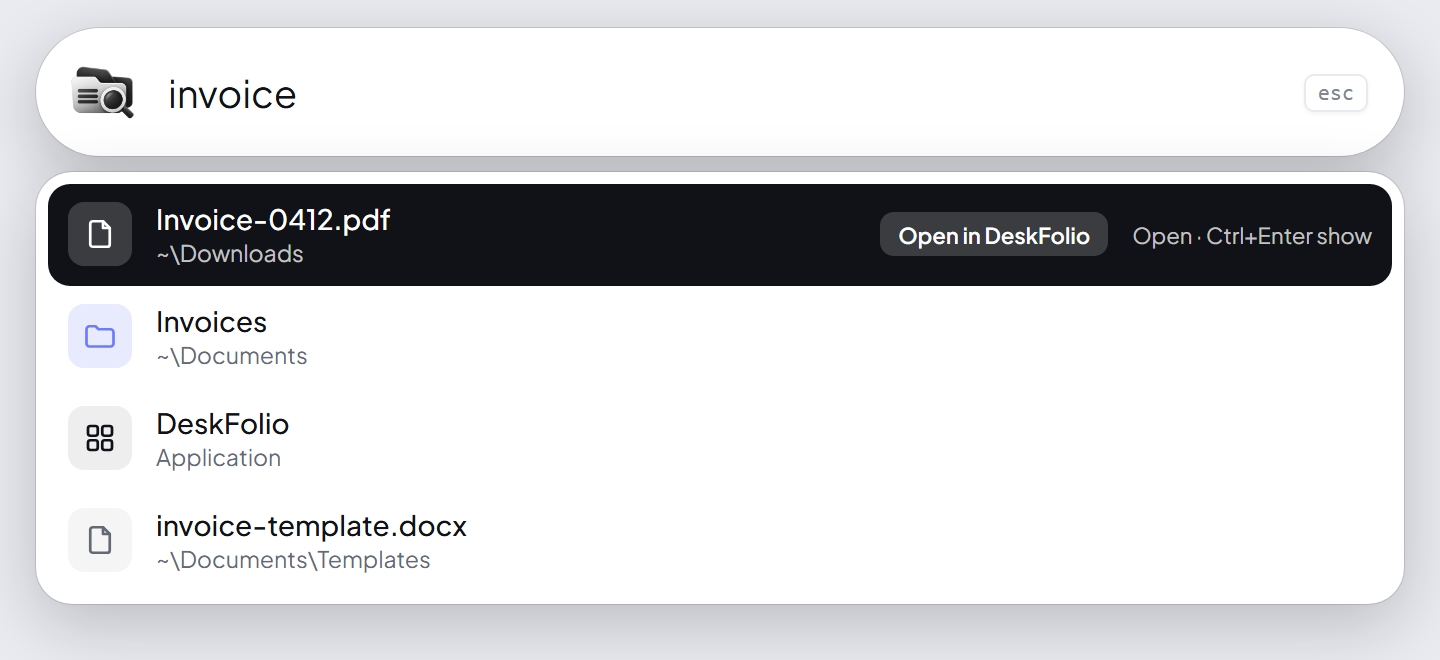
Install one or both. When both are on your computer, they hand work to each other.
 →

Search with Ctrl ⇧ Space in DeskZero, pick a PDF and press Alt Enter: it opens straight in DeskFolio.
+Every app has the same menu bar, a compact sidebar, Ctrl K to search its commands, F1 for shortcuts, and light and dark themes.
Help › More DeskLab tools opens the other one if it's installed, or takes you to its free download. Updates arrive by themselves, signature-checked.
Not bigger. Not noisier. Just better at the thing you opened it to do.
You see exactly what a tool is about to do (every move, every rename, every page) before anything happens.
Moves can be undone, edits have Undo, and every batch of changes is kept in a history you can read and undo.
No sign-up, no ads, no telemetry. Your files stay on your computer. The tools go online only for a daily update check you can switch off, or when you pick a feature that needs it, like sending a PDF for signature.
Every tool is MIT-licensed, with its whole source on GitHub. No paid tier waiting behind a button.
Free for Windows, macOS and Linux. No sign-up, no upload, no watermark.
for Windows · 12 MB · free
Yes. DeskFolio is free and open source under the MIT licence. It adds no watermark, has no daily limit and needs no sign-up. Your PDFs aren't uploaded: every tool, OCR included, runs on your computer.
Place signature, initials, date and text fields for each person, and DeskFolio emails them a link. They sign in their browser, with nothing to install, in the order you set or all at once. You follow it in Agreements and get the signed copy with a certificate of completion. It needs a free DeskLab account. The PDF is encrypted on your computer before it's sent, and the key only travels in the signing links, so our server can't read it.
A drawn or typed signature (Fill & Sign) is a picture, like signing on paper. A digital signature (Sign with digital ID) uses a certificate and seals the PDF: anyone can check who signed it and that nothing changed afterwards. You can make your own digital ID in DeskFolio or import one from a .pfx file, and show your handwritten signature on top.
Yes, line by line: click a line and type the new words, and move, resize, replace or delete pictures. It doesn't reflow whole paragraphs; for a big rewrite, convert the PDF to Word.
PDF to Word, Excel, text and images works on its own. Turning Word, Excel or PowerPoint files into PDF uses the Microsoft Office or LibreOffice already on your computer; DeskFolio tells you if neither is there.
The family DeskFolio belongs to: free desktop tools that each do one job well. DeskFolio does everything you need with PDFs, and DeskZero keeps folders tidy and finds any file. They look and work alike, and more are on the way.
Yes. They're open source under the MIT licence: no ads, no trial, no paid version. The code is on GitHub.
No. Everything happens on your computer. A tool goes online for a once-a-day update check, which you can turn off in its Settings; A DeskLab account is optional and only needed for DeskFolio's Send for signature. Two DeskFolio extras also go online, only when you choose them: downloading an extra OCR language once, and a trusted timestamp on a digital signature (only a fingerprint of the signature is sent, never the document).
Both run on Windows 10/11, macOS (Apple chip and Intel) and Linux.
The Windows installers aren't code-signed yet, so Windows warns about any new download it doesn't recognise. Choose More info, then Run anyway. The Mac versions are signed and notarized by Apple and open normally. Every download comes straight from the tool's GitHub release, where you can also check its SHA-256.
Each installed tool checks once a day, downloads a new version quietly, checks its signature, and asks you to restart. You can switch automatic updates off in Settings.
Open an issue on the tool's GitHub page (Help › Report a problem inside each app takes you there). DeskLab is made by Jagdeep Sandhu in Revelstoke, BC.